
Church Bulletin Templates
Create a church bulletin for Sunday without wrestling with a word processor. Fill in the service details, order of worship, hymns and readings, announcements and prayer list, and print a folded bulletin: one sheet of Letter paper, printed on both sides and folded in half.
- Free to use
- No sign-up
- Runs in your browser
Build this week's bulletin
Church Bulletin Template Collection
Editable Word bulletin templates for regular Sundays and special services, plus announcement inserts and a volunteer schedule workbook.
- Bulletin templates (DOCX, PDF)
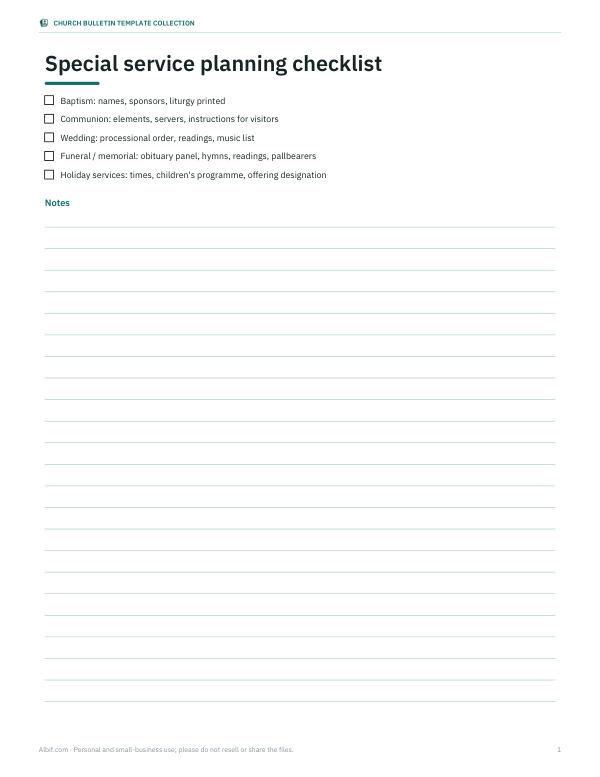
- Special service outlines (DOCX, PDF)
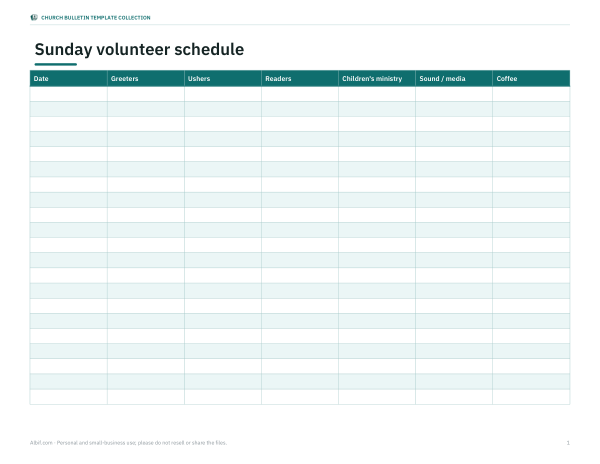
- Volunteer schedule (XLSX, PDF)
Formats: DOCX, PDF, XLSX. Instant download after payment (link valid 72 hours, up to 5 downloads). AI-assisted: the templates were drafted with AI help and reviewed and laid out before publishing.
$5.00 USD, one-time 3 files · about $1.67 each
- Instant download
- 7-day refund
- Secure checkout by Stripe
7-day money-back guarantee. Full refund within 7 days of purchase, even after you download.
Full refund within 7 days — see the refund policy and license.
Free printables
Single sheets you can print right now, no sign-up. The full pack adds every sheet in one download plus the editable files.
How the folded bulletin prints
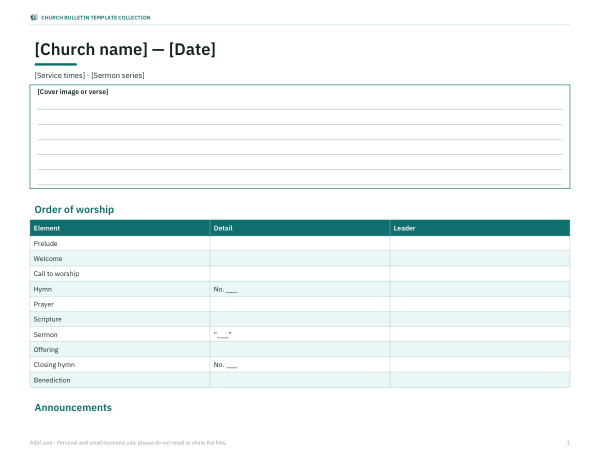
A traditional church bulletin is one sheet of US Letter paper printed on both sides in landscape and folded in half, giving four half-letter (5.5 × 8.5 inch) panels: the front cover, two inside pages and the back cover. The maker arranges the panels for you. Page one of the print prints the outside — back cover on the left, front cover on the right — and page two prints the inside — order of worship on the left, announcements and sermon notes on the right. Print double-sided, flipping on the short edge, then fold along the middle.
Using the bulletin maker
- Enter the church name, date, service times, the sermon series or theme and a cover verse.
- Type the order of worship, one item per line. Use a vertical bar ( | ) to add the detail — hymn number, scripture reference, sermon title — and another for the person leading.
- Add announcements and the prayer list, one item per line.
- Check the preview, then press “Print folded bulletin”. For a printer without two-sided printing, print page one, turn the stack over and feed it back, then print page two.
- Use “Print as single pages” if you prefer half-letter pages for a stapled booklet or for emailing as a PDF.
What to include in a church bulletin
- Cover: church name, date and time, sermon series, a verse or image.
- Order of worship: each element of the service in sequence, with hymn or song numbers, scripture references and who leads.
- Announcements: events, meetings, volunteer needs and deadlines, each in a sentence or two.
- Prayer list: general requests; ask permission before printing anyone's name or health details.
- Welcome: a short note for visitors on connection cards, children's ministry and coffee after the service.
- Contact details: address, phone, email, website and giving options.
- Sermon notes: lines for note-taking, which many congregations appreciate.
A sample order of worship
| Element | Typical content |
|---|---|
| Prelude | Instrumental music as people gather |
| Welcome and announcements | Greeting and brief notices |
| Call to worship | Responsive reading or psalm |
| Hymn or worship songs | With hymnal numbers or projected lyrics |
| Prayer | Confession, thanksgiving or pastoral prayer |
| Scripture reading | Old and/or New Testament passages |
| Sermon | Title and passage |
| Offering | With a note on giving options |
| Closing hymn | |
| Benediction | Blessing and dismissal |
Traditions differ widely — liturgical churches may follow a prescribed order with collects and creeds; others use a simpler structure. The maker accepts any list you type, in any order.
Design tips for a readable bulletin
- Keep announcements short; move long explanations to the website or email newsletter.
- Use one easy-to-read font and at least 11-point type for older readers.
- Leave white space — a crowded bulletin gets skimmed.
- Put the most important announcement first.
- Proofread names, dates and hymn numbers; have a second person check.
- Print a large-print version for those who need it using the single-page layout.
Worked example
For a stewardship series, the cover reads “Grace Community Church — Sunday, October 4 — 9:00 & 11:00 a.m. — Living Generously” with Psalm 107:1 beneath. Inside, ten service elements list the hymns by number, the reading from 2 Corinthians 9 and the sermon “The Cheerful Giver”. The right-hand inside panel carries three announcements and eight lines for sermon notes. The back cover lists prayer requests, a welcome note and contact details. One sheet per attendee, printed on both sides and folded, is ready in minutes.
Paper and printing
Standard 20–24 lb paper works well; many churches use a slightly heavier 24 lb paper or pre-printed bulletin covers with artwork, running only the text through the office printer. If your printer supports it, select “flip on short edge” for landscape duplex printing. Print one test copy, fold it, and check the panels are in the right order before printing the full run.
Privacy and permissions
Before printing names in a prayer list, ask the person or family for permission, especially for health or personal matters, and consider using first names only. Bulletins are often left on pews or taken home, and PDFs are sometimes posted online. If you reproduce song lyrics or hymn texts beyond titles and numbers, check that your church holds the appropriate copyright licence for reprinting them.
Frequently asked questions
What size is a church bulletin?
Most are US Letter (8.5 × 11 in) folded in half to 5.5 × 8.5 in, printed on both sides.
How do I print it double-sided?
Use your printer's two-sided setting with “flip on short edge”, or print page one, reinsert the paper and print page two.
Can I add a logo or picture?
This quick maker uses text. The Word templates in the paid pack include image placeholders for a logo and cover art.
Is my bulletin saved?
No, the page does not store it. Save a PDF from the print dialog to keep a copy or email it.
Can I print lyrics?
Only if your church holds a licence that covers reprinting them. Titles and hymnal numbers are fine.
Can I make a bulletin insert?
Use “Print as single pages” for half-page inserts with announcements or a sermon outline.
How far ahead should announcements be submitted?
Many churches ask for bulletin items by midweek, such as Wednesday noon, so the office can proofread and print before Sunday.
Can I email the bulletin?
Yes. Use “Print as single pages” and choose Save as PDF, then send the PDF; single pages read more easily on phones than a folded layout.